
How to hand over pending signature requests before vacation
Prepare a pending-request handoff register, test backup access and agree on follow-up ownership before vacation, with a worked three-request example.

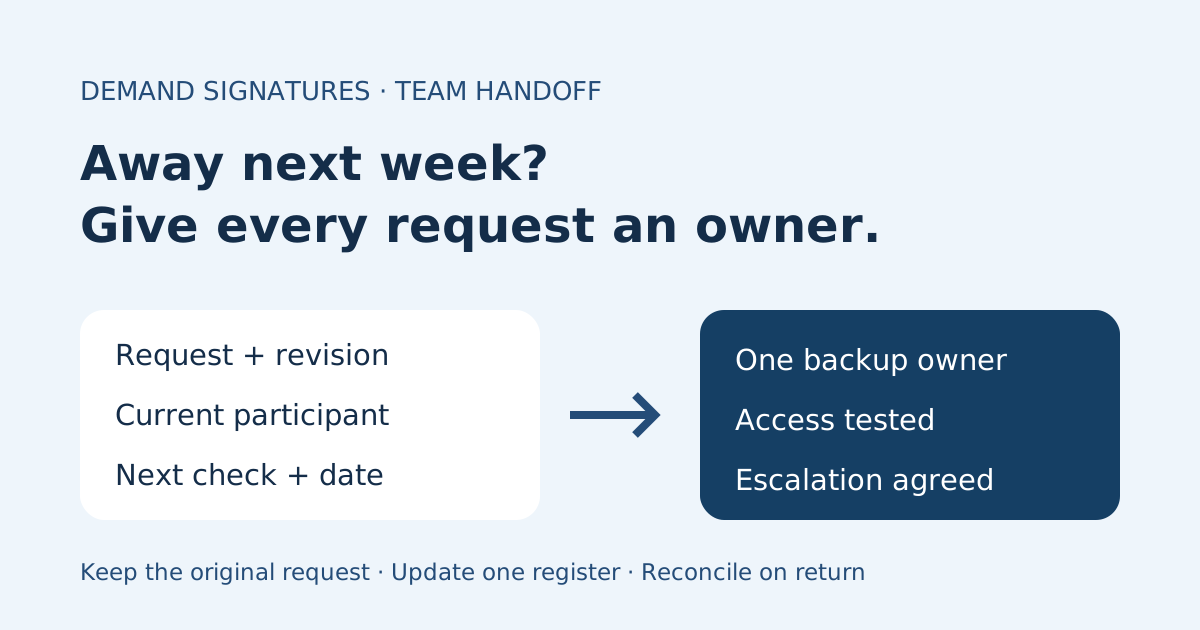
To hand over pending signature requests before vacation, give one backup owner a current request register, a dated next action and a verified way to check the original request. Confirm what the backup can actually do before you leave. Do not share your login or create replacement requests just to move follow-up to a colleague.
This checklist is for a small agency or service team covering a sender’s absence. It concerns operational follow-up, not transferring someone’s authority to sign or deciding whether an agreement is legally effective.
Build the register from current requests
Review the open requests through your normal account route. Match each entry to its request reference and document revision. An email thread or a filename alone may point to an older send.
Record only the information the backup needs in an approved team location. Keep personal signing links, passwords and unnecessary document contents out of the register.
| Register field | What to record | Why the backup needs it |
|---|---|---|
| Request and revision | Internal reference, recognizable title, revision | Distinguishes the original request from similar sends |
| Status checked | Displayed overall status, time and time zone | Shows how recent the handoff is |
| Next participant | Role or approved internal contact reference | Identifies whose action is currently due |
| Follow-up owner | One named backup and an escalation contact | Prevents two teammates chasing the same person |
| Next action | Specific check, date and time zone | Turns “please watch this” into a scheduled task |
| Constraints | Existing reminders, deadline if configured, unresolved questions | Prevents conflicting follow-up or unsupported promises |
| Completion destination | Approved filing location and project owner | Keeps the final copy from getting lost |
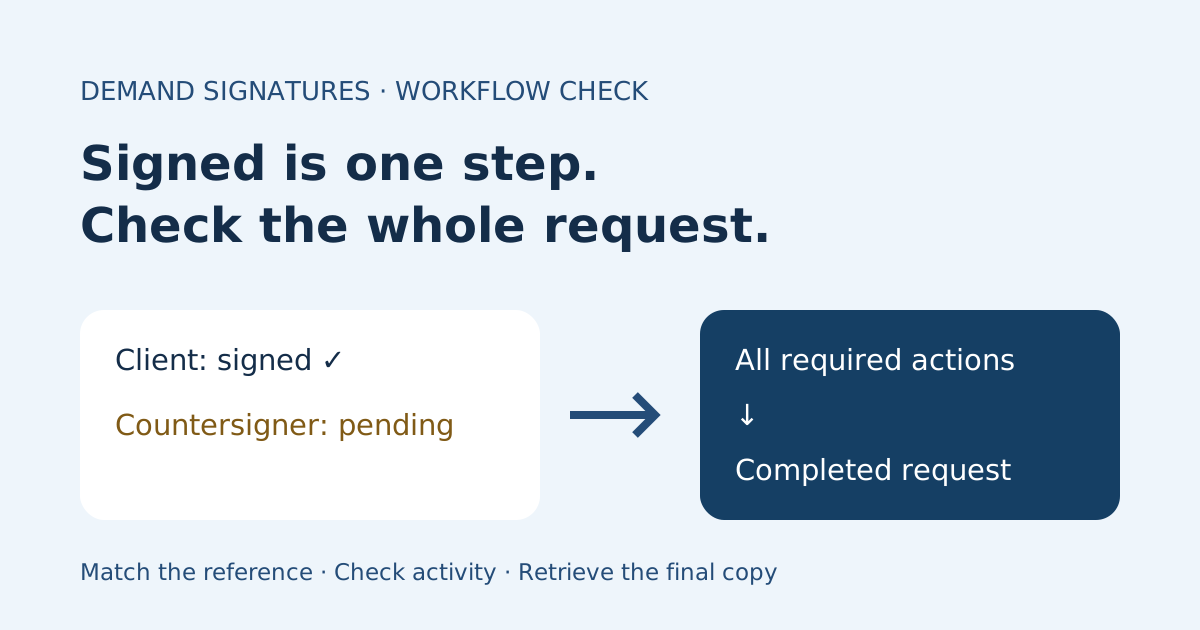
For a request with several participants, distinguish a recorded signature from overall completion. Use the signed versus completed status checklist when those two observations disagree.
Test access before assigning responsibility
A teammate who can read your register may still be unable to view the request or send a provider reminder. Have the backup sign in with their own account and demonstrate the access they need under your organization’s existing permissions. Ask your administrator about any missing access; do not work around it with shared credentials.
Adobe’s account-sharing documentation distinguishes viewing shared content from additional actions that depend on the sharing configuration. Those are Adobe-specific capabilities, not a promise that Demand Signatures offers the same controls.
Use this simple coverage test:
- The backup locates the agreed request by reference through an authorized route.
- They identify the displayed overall status and the participant whose action is due.
- They explain which follow-up actions their own account permits.
- They know whom to contact when an action falls outside those permissions.
- They can locate the approved destination for the completed record.
If the backup cannot manage the request, narrow the handoff to what they can do: maintain the register, contact the approved internal owner and route questions. Resolve any time-sensitive management gap with the administrator or responsible owner before departure. Do not label an untested arrangement “covered.”
Agree on one follow-up plan
Review any existing automatic reminders before scheduling manual messages. Record the last contact and next planned check so your backup does not send a second reminder on the same day by accident.
The backup should recheck the live request before each follow-up. A register is a snapshot; a recipient may have completed their step since you wrote it. Adobe’s Manage page overview describes agreement status and participant progress as information available in that provider’s management view. Check the equivalent information your service exposes.
For a pending recipient, use a clear signature reminder message. For a document-content question, route it to the document owner. A follow-up assignment does not give the backup permission to rewrite terms, substitute a signer or cancel a request.
Worked example: three requests, one backup
This fictional agency handoff covers November 9–13. The dates are an illustration of a team schedule, not a recommended turnaround or product processing time.
| Request | Status checked before departure | Backup’s next action | Escalation or finish |
|---|---|---|---|
| SOW-041-R2 | Client action pending; reminder already scheduled for Nov 9 | Casey checks status Nov 10 at 10:00 Eastern before any manual contact | Scope questions go to project owner Morgan |
| CO-008-R1 | Client step recorded; internal countersignature pending | Casey checks the internal owner’s progress Nov 9 at 14:00 Eastern | Follow up internally; do not ask the client to sign again |
| ENG-016-R3 | Pending; recipient asked about the service period | Casey routes the existing question to document owner Lee Nov 9 | Wait for Lee’s response before planning further follow-up |
Casey has tested authorized viewing access. Any provider action Casey cannot perform goes to the designated administrator. The register names one backup for all three requests, while keeping the document owner separate for each decision.
When SOW-041-R2 completes, Casey retrieves the record only through an authorized route, checks the reference and revision, and files it in the agreed project location. The completed-document filing guide provides a separate register for that finished stage.
Send a short internal handoff note
Use a message like this, replacing the fictional details with your own approved references:
I’m away November 9–13. Casey owns follow-up for the three requests in our restricted request register. Status was checked November 6 at 15:00 Eastern. Each row lists the next participant, existing reminders, next check and document owner. Casey has tested access with their own account. Questions about terms or signer changes go to the listed owner; actions outside Casey’s permissions go to our administrator. Please update the same register rather than starting another send.
Keep this note internal. If a client needs an absence contact, use your organization’s approved communication process and provide an appropriate contact route without exposing other clients’ request details.
Reconcile the handoff when you return
Read the updated register before sending any messages. Compare its latest notes with the original request’s current status and activity. Close out completed items, identify outstanding questions and explicitly return follow-up ownership to the usual sender.
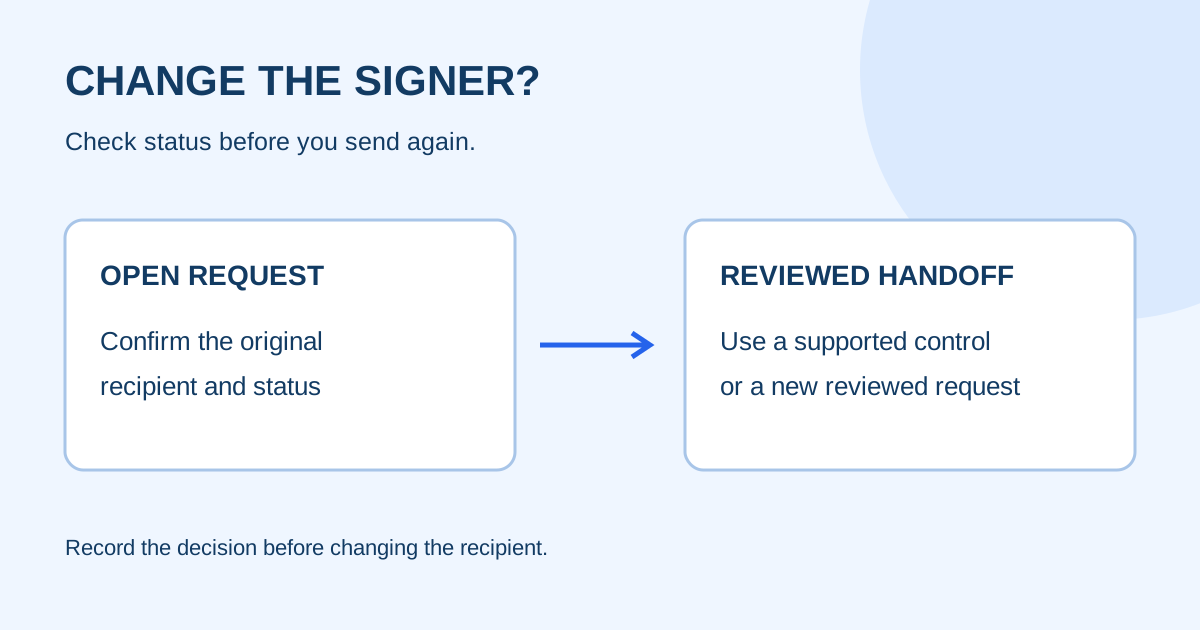
Do not create a new request because you missed an email while away. First establish whether the original is pending, completed or needs an owner’s decision. If a signing recipient must change, that is a separate signer handoff question, not a routine backup-follow-up task.
Common questions
Should I forward my signing invitation to the backup?
No. A recipient’s personal invitation is not a substitute for authorized sender access. Give the backup an internal request reference and use the provider’s documented access process.
Does copying a colleague on an email give them request-management access?
Do not assume it does. Verify access using their own account and check which actions are available. Visibility, follow-up responsibility and permission to manage a request are separate checks.
What if the request completes during my absence?
The backup should check the final record, match the reference and revision, file it through an authorized route and update the register. That prevents you from following up on a request that already finished.
Sources checked November 1, 2026: Adobe account sharing and Manage page overview. Provider controls vary; this checklist does not establish Demand Signatures feature parity.
Review Demand Signatures features when choosing your team’s sending workflow.
Comments
Questions and notes from readers. Every comment is reviewed before it appears.
Comments are unavailable right now. Please try again later.
Leave a comment