
Electronic signature audit trails explained: a buyer’s checklist
Inspect signature audit-trail events, timestamps and exports with a buyer checklist, a two-person sample timeline and questions to ask before choosing a tool.

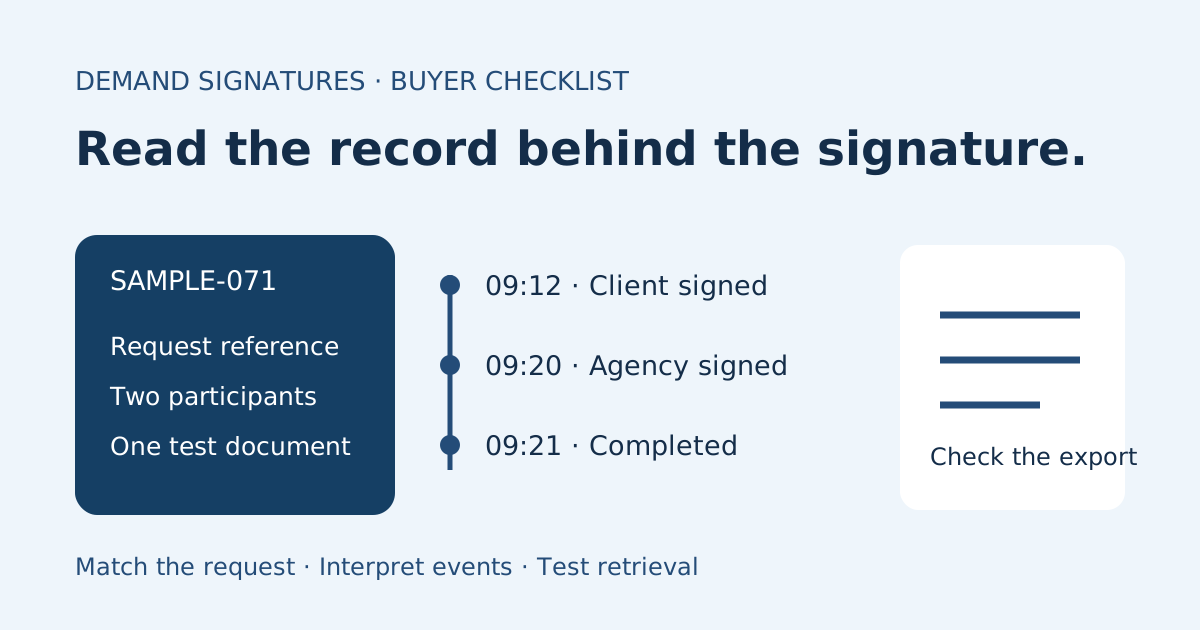
An electronic signature audit trail is a record of events associated with a signing request. For a small team choosing a tool, the useful question is whether you can retrieve a record that connects the request, participants, recorded actions and times. Ask to see a completed sample from the workflow you intend to use before treating “audit trail included” as a complete answer.
This guide explains how to inspect that sample. It does not determine a signature’s legal effect or prescribe a compliance standard. Available events, export formats and access controls vary by provider and configuration.
What to look for in an audit trail
Use this table during a product demonstration or a synthetic test. These are questions to ask, not a promise that every service records every field.
| Detail to inspect | Buyer’s question | Practical check |
|---|---|---|
| Request reference | Which transaction does this record describe? | Compare its identifier with the request you opened |
| Document association | Which document or revision was sent? | Locate the source and completed document associated with that request |
| Participants and roles | Whose actions does the record attribute? | Compare the listed participants with your test recipient map |
| Events | What does each label actually mean? | Distinguish an invitation, a view, a signature and overall completion |
| Event times | What time zone is used? | Compare timestamps on a common basis before judging their order |
| Authentication details | What method, if any, is recorded? | Ask the provider to explain the sample’s specific entry |
| Export and access | Who can retrieve the record, and in what form? | Have the intended team member locate and download it using their own account |
A visible signature mark and a transaction history answer different questions. For matching records after a request finishes, use the separate completion certificate versus signed PDF guide. Here the goal is to evaluate the information a tool exposes before adopting its workflow.
Separate recorded events from assumptions
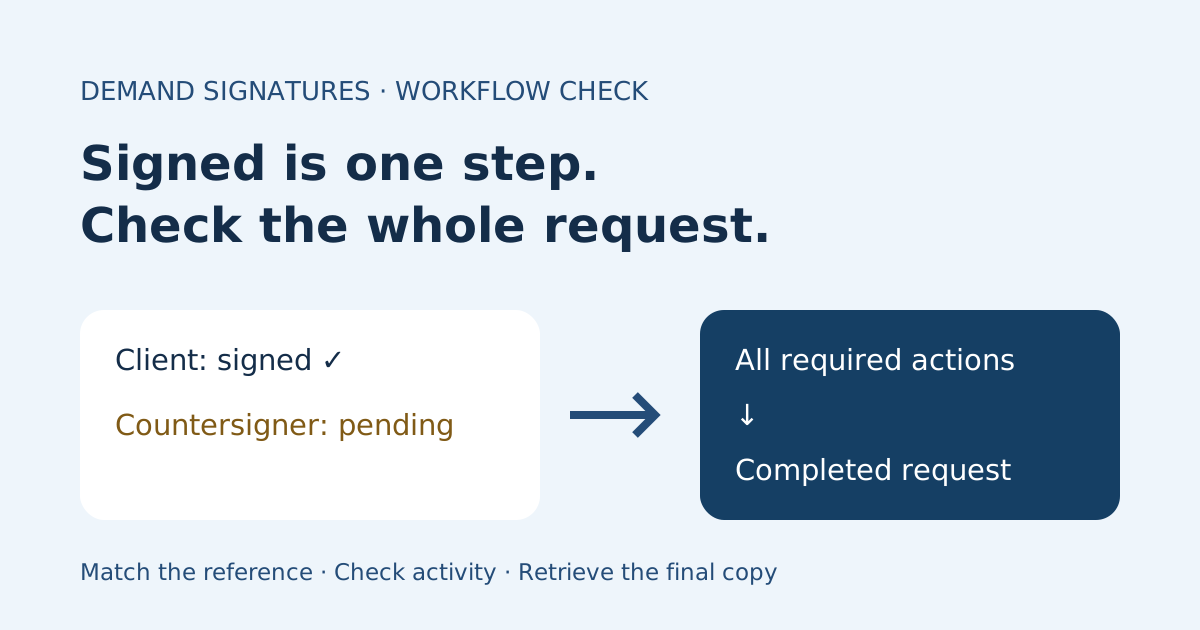
Read an event label literally and check the provider’s definition. A record of an invitation is not the same observation as a recipient completing a signing step. Likewise, one participant’s signature does not necessarily mean the entire request has completed. The signed versus completed checklist covers that operational distinction.
Adobe’s audit-report guidance describes recorded transaction milestones and configurable report content. Ask which events appear in your actual configuration rather than assuming a marketing example matches every account.
Do not infer an authentication method from an email address alone. Ask what the service recorded and what that method means in its documentation. A missing detail should be recorded as unknown until clarified, rather than filled in from memory.
Why IP addresses and hashes need context
An IP-address field is one data point, not a substitute for understanding participant authentication. Its availability also varies: Adobe documents a setting for collecting recipient IP addresses in audit reports. Check the actual report and configuration instead of assuming an IP address will always appear.
Dropbox Sign’s audit-trail documentation describes timestamped transaction information, a lookup identifier and document hashes used for comparison. It also states that its “Just Me” self-signing flow does not include an audit trail. These are Dropbox Sign details, not Demand Signatures feature claims.
If a provider describes hash verification, ask how you would use its supported verification process with an original export. A printed string is not an instruction to edit, reconstruct or certify a record yourself.
Worked example: read a two-person timeline
The following fictional record illustrates a buyer’s review. It is not a screenshot or a claim about any product’s event names. All times are shown in UTC for comparison.
| Time | Illustrative recorded event | What the buyer checks next |
|---|---|---|
| 09:00 | SAMPLE-071 sent to client and agency approver | Does the request reference match the test document? |
| 09:06 | Client view recorded | What does the provider mean by a view event? |
| 09:12 | Client signature recorded | Is the agency participant still pending? |
| 09:20 | Agency signature recorded | Is there a separate overall completion event or status? |
| 09:21 | Request completed | Can the authorized owner retrieve the final document and associated record? |
At 09:12 the buyer should not write “both signed” in their test notes. The sample records only the client’s signing action at that point. At 09:21, the buyer checks the completed request and downloads its available records through an authorized route.
Now introduce a deliberate comparison check: a second test request uses the same title but reference SAMPLE-072. Can a teammate distinguish the exports without relying on the title? This tests retrieval and association, not legal sufficiency.
Run a small buyer test before choosing a tool
- Create a harmless PDF labeled “Sample — no client information.” Use only test participants and your existing authorized evaluation access.
- Write down the intended participants, their roles and the order in which they will act.
- Complete the sample through the workflow you expect to use. If you need signatures from others, test that flow rather than assuming a self-signing demonstration is equivalent.
- Inspect the recorded events. Note the request reference, time zone, participant attribution and any details you cannot interpret.
- Retrieve the available document and activity exports. Record which account could access them and any settings or plan conditions the provider identifies.
- Ask a teammate to locate the same request and explain its recorded progress using their own authorized access.
The sample signing-workflow guide provides a wider test script. Keep this audit-trail review focused on what the records show and whether your team can retrieve them.
Questions to send the vendor
Use a concise request based on the sample you actually tested:
For our sample request [reference], please identify the available activity report or audit-trail export, explain its event labels and time zone, and confirm which account roles can retrieve it. Please explain any authentication details, document identifiers and verification options shown in that sample, plus settings or plan conditions that change the record.
Keep the sample synthetic. Do not post client documents, recipient details or personal signing links in public support threads. Save the vendor’s answer with your evaluation notes so the eventual sender knows what was demonstrated and what remains unverified.
Common questions
Is an audit trail the same as the signed PDF?
The document contains the agreement text and completed fields; the activity record describes events associated with its request. Providers may bundle them or offer separate exports. Inspect the actual files rather than relying on the download’s name.
Does an audit trail guarantee legal validity?
This checklist makes no such determination. It helps a buyer inspect recorded information and retrieval. Questions about disputed signatures or legal requirements need the relevant facts and appropriate advice.
What if a field is absent from the sample?
Record the absence and ask the provider whether it depends on the workflow, settings, permissions or another condition. Do not describe a feature as verified until you have an answer supported by the demonstrated record.
Sources checked November 2, 2026: Adobe’s audit-report and IP-address-setting guides and Dropbox Sign’s audit-trail documentation linked above. The review table, buyer test and SAMPLE-071 timeline are original editorial examples. No Demand Signatures audit-export or authentication capability is asserted.
Review Demand Signatures features alongside the sample records you need for your team’s workflow.
Comments
Questions and notes from readers. Every comment is reviewed before it appears.
Comments are unavailable right now. Please try again later.
Leave a comment