How do I set the order of multiple signers?
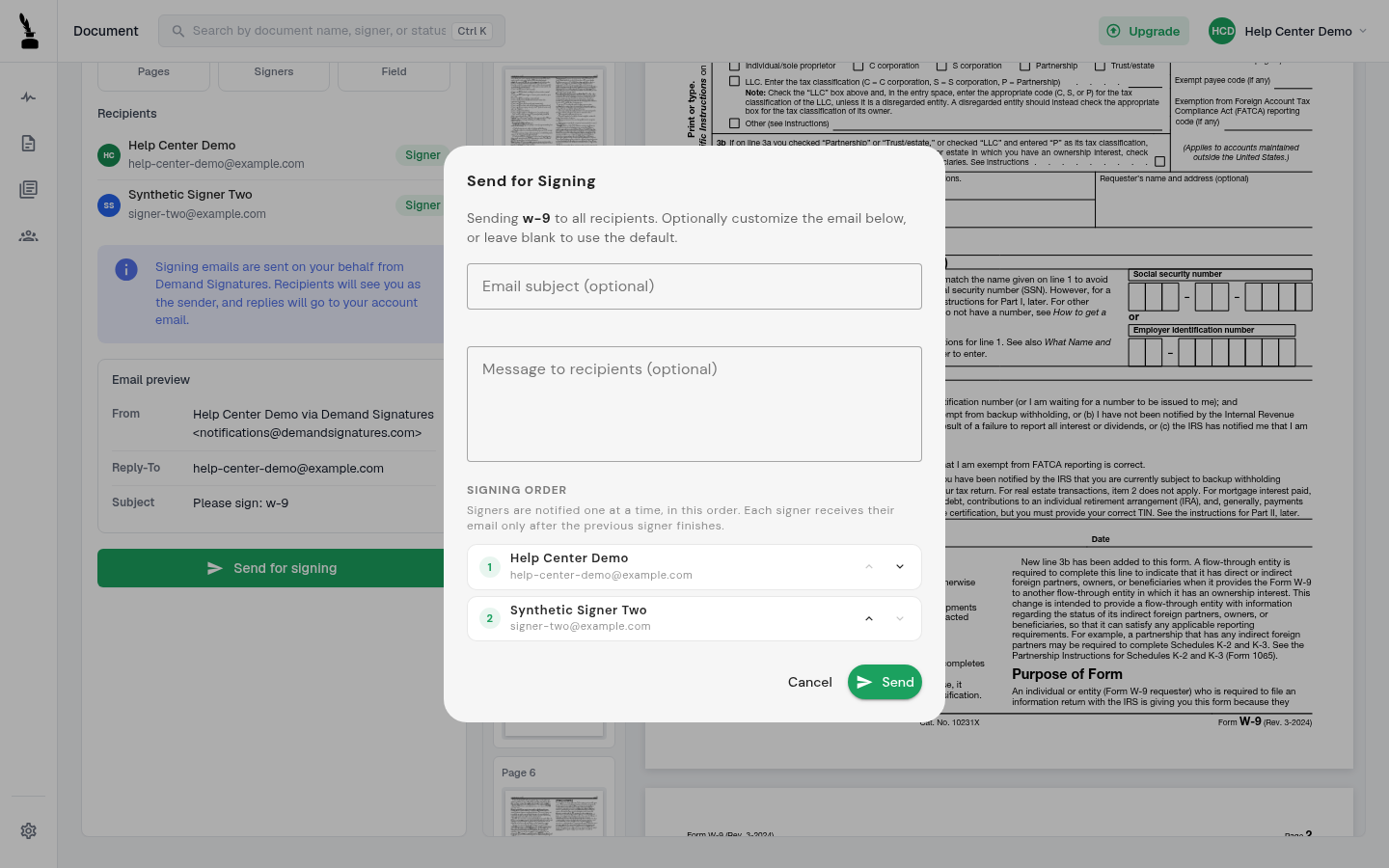
The send dialog lets you reorder multiple signers. Its signing-order panel describes one-at-a-time notification.
Updated
When a draft has two or more signers, the Send for Signing dialog shows their signing order. The Signing Order panel describes one-at-a-time notification, with each signer notified after the previous signer finishes.
Steps#
- Add at least two signer-role recipients to the draft, then place the required fields.
- Open Review & send and select Send for signing.
- In Signing Order, use the up and down arrows to move each signer earlier or later.
- Review the complete order, email subject and message.
- Select Send only when the order and recipients are correct. Select Cancel to close the dialog without sending.
What the order control looks like#